🚀 Quick Setup

From Setup to Success in 4 Simple Steps

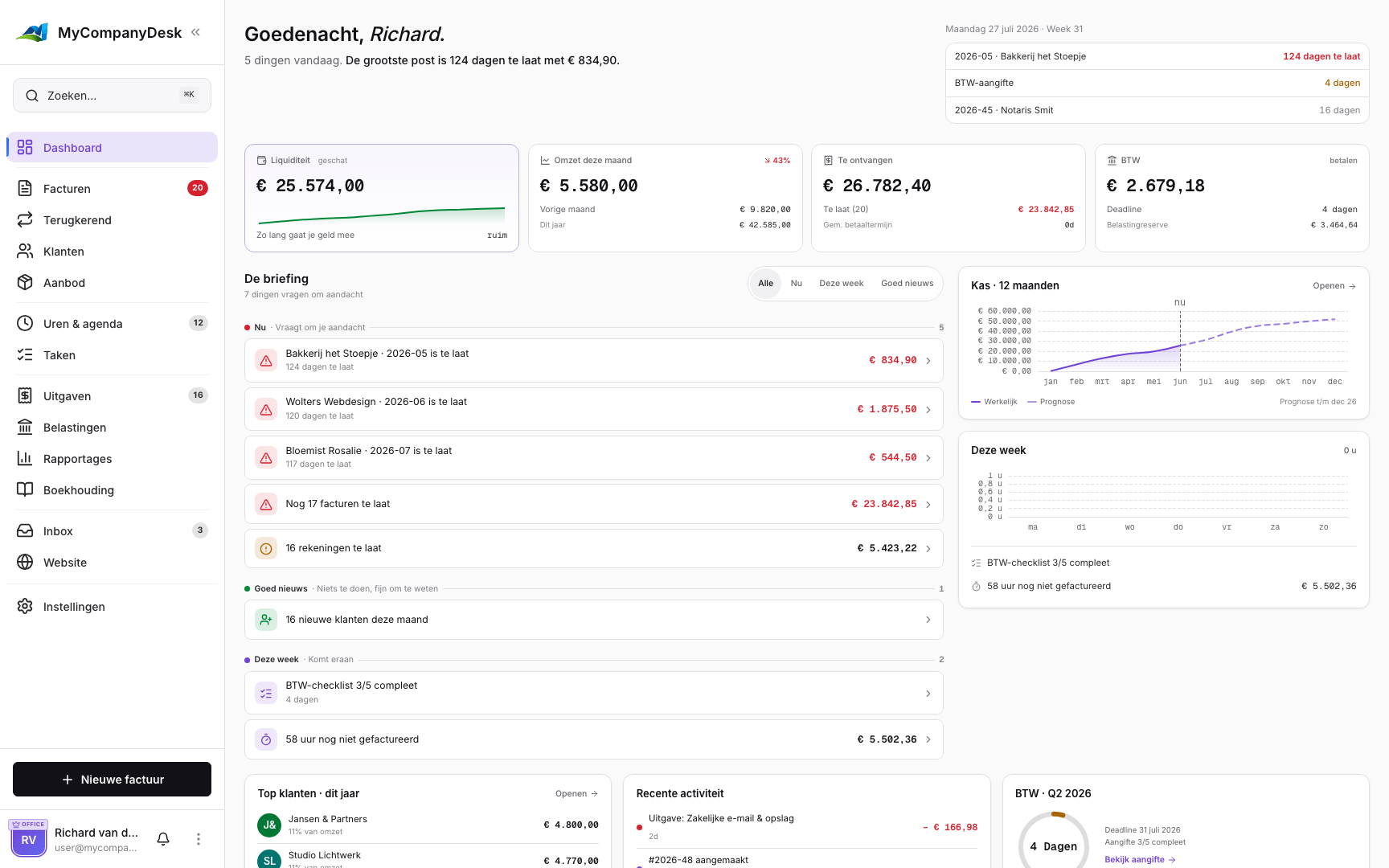
MyCompanyDesk keeps every department aligned by connecting billing, rentals, VAT handling, and reporting in one streamlined workflow.

Onboarding

Step-by-Step Setup

Most teams complete setup within one business day. Here's how it works.

1
⚙️

Set Company Details

Configure VAT rates, legal details, invoice numbering sequences, and branding templates to match your business identity.

2
📥

Import Your Data

Upload customers, suppliers, and asset records so everything is ready for invoicing from day one.

3
📄

Create Invoices & Rentals

Build invoice templates, link rental agreements to properties, and schedule recurring billing with just a few clicks.

4
📊

Review Dashboards

Monitor VAT obligations, cash flow, and monthly performance trends in real time with interactive charts.

Daily Operations

Work Smarter Every Day

Once you're set up, these features keep your operations running smoothly.

🔔

Automated Reminders

Never miss overdue invoices or renewal dates. Get notified before deadlines, not after.

🔐

Role-Based Access

Give finance full visibility while limiting operational edits. Everyone sees exactly what they need.

📎

Connected Documents

Attach contracts, receipts, and notes directly to each record for complete context.

Implementation

Your 4-Week Rollout Plan

A proven timeline to get your team fully operational.

📅

Week 1

Import customers, assets, and supplier lists into the system.

📅

Week 2

Configure VAT settings, invoice templates, and branding.

📅

Week 3

Map rental contracts and set up recurring billing schedules.

📅

Week 4

Review dashboard insights and export your first reports.

Ready to Get Started?

Get started today. We offer direct support to help with setup, data migration, and any questions you have.